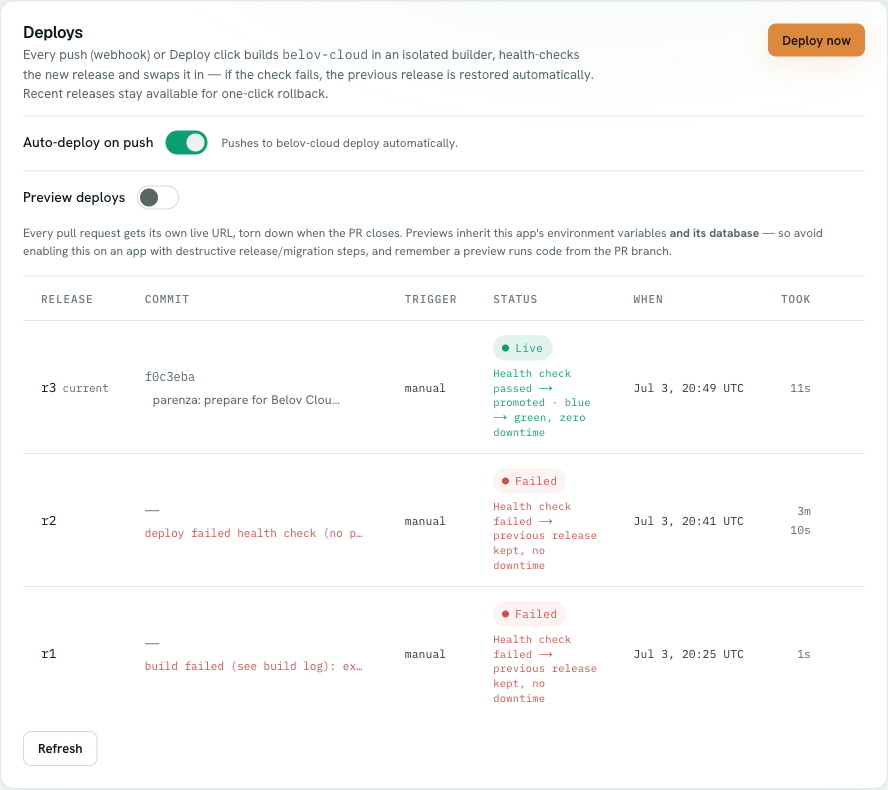
For Node and Next.js apps connected to GitHub, Belov Cloud can give every pull request its own live preview URL — so a reviewer can click through a change before it merges, not just read the diff. It's opt-in, and there's one important thing to understand about what a preview shares with your app.
Turn on Preview deploys on the app's Deploys tab — it's off until you opt in.
1
Turn on Preview deploys
On the app's Deploys tab, enable Preview deploys. It's off by default and requires the app to be connected to GitHub — previews build from your pull requests, so there needs to be a repo to build them from.
2
Open a pull request
Once it's on, every pull request automatically gets its own live URL, built from that PR's code. New commits to the PR redeploy the preview, and the URL is posted as a comment on the PR so reviewers can just click it.
3
It cleans up after itself
When the pull request is closed or merged, its preview is torn down automatically. You don't accumulate a graveyard of dead preview environments — each one lives exactly as long as its PR.
A preview shares your live database — read this before enabling
A preview inherits the app's environment variables and its live database, and runs the code from the pull request. We deliberately do not run your app's release/migration command on a preview — so a migration defined as that step won't auto-run against your live database. But the preview still connects to the same live database and runs the PR's runtime code, so any writes that code makes on its own — a migrate-on-boot, a seed script, or ordinary destructive logic — hit your real data. Do not enable preview deploys on an app whose database is sensitive or production. It's built for apps with a safe, disposable, or seeded database. If that's not your app, leave it off.
One-time GitHub setup
Previews are driven by pull-request events from GitHub, so the GitHub App needs to be configured for those events on your repo. That's a one-time setup — once it's in place, new pull requests trigger previews on their own with nothing further to do.