
Restore from a backup & download your data
Belov Cloud backs up every site off-site to Cloudflare R2 every day — database and files — and takes an extra snapshot before every staging push. Roll back to any of your 14 most recent snapshots in one click, download your data whenever you like, and keep that access even if you leave.
Every site is backed up off-site to Cloudflare R2 once a day — the database and the files together — and again automatically before every staging push. We keep your 14 most recent snapshots, so on a normal week that's about a fortnight of history; a week with several staging pushes packs more restore points into the same 14. Nothing to schedule, nothing to configure: it's on from the moment a site exists.
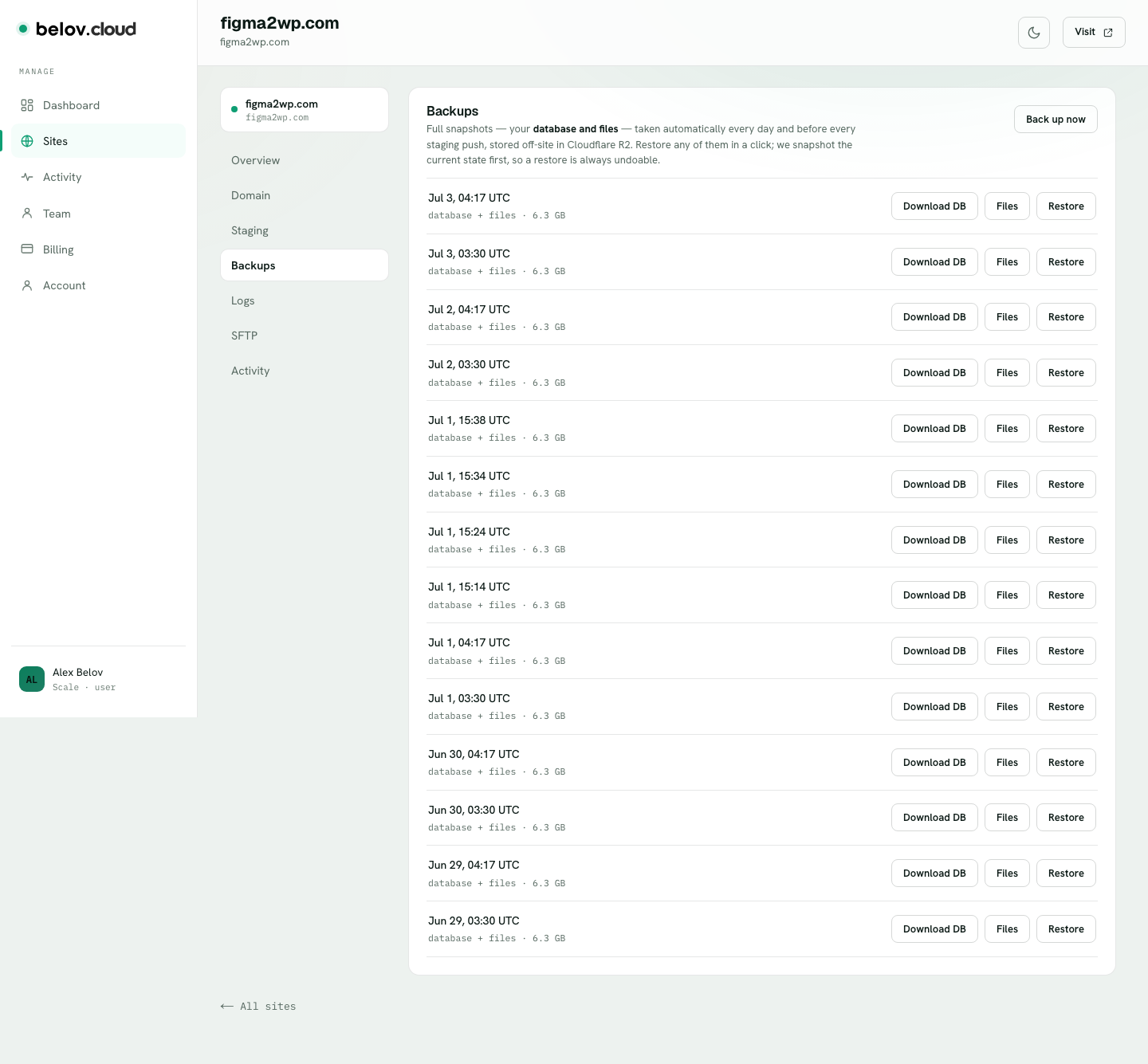
- Open the Backups tabOn your site, open Backups. You'll see a dated list — your 14 most recent snapshots, including the daily ones and any taken automatically before a staging push.
- Pick the snapshotFind the date you want to go back to. Each snapshot holds both the database and the files from that exact point.
- Click RestoreClick Restore on that snapshot. Before anything is overwritten, Belov Cloud takes a fresh snapshot of the site's current state first — so the restore itself is undoable — then rolls the site back to the version you chose.
- VerifyOpen your site and confirm you're back where you wanted. Restored too far? Just restore that just-made "current state" snapshot to undo it.
Want a copy in your own hands? Every snapshot has Download DB and Download Files. Pull a database dump or a files archive anytime — for a local copy, a manual migration, or your own archive. No ticket, no waiting on support.