
Invite your team by role
Bring a developer, an agency, or a client onto your sites without ever sharing a login. Everyone gets their own account with exactly the access their role needs — and seats are free, so there's no reason to share one.
Every teammate gets their own login and one of three roles. Owner has full control — billing, the team, and deleting the account. Admin runs the sites and sends invites but can't see or change billing. Developer works only on the sites you assign — ideal for a contractor or agency partner who should ship on one project without seeing the rest of your account. Seats are free: no per-user fee, ever, so there's no reason to share a password. And one login can belong to several organizations — inviting someone who already uses Belov Cloud just works.
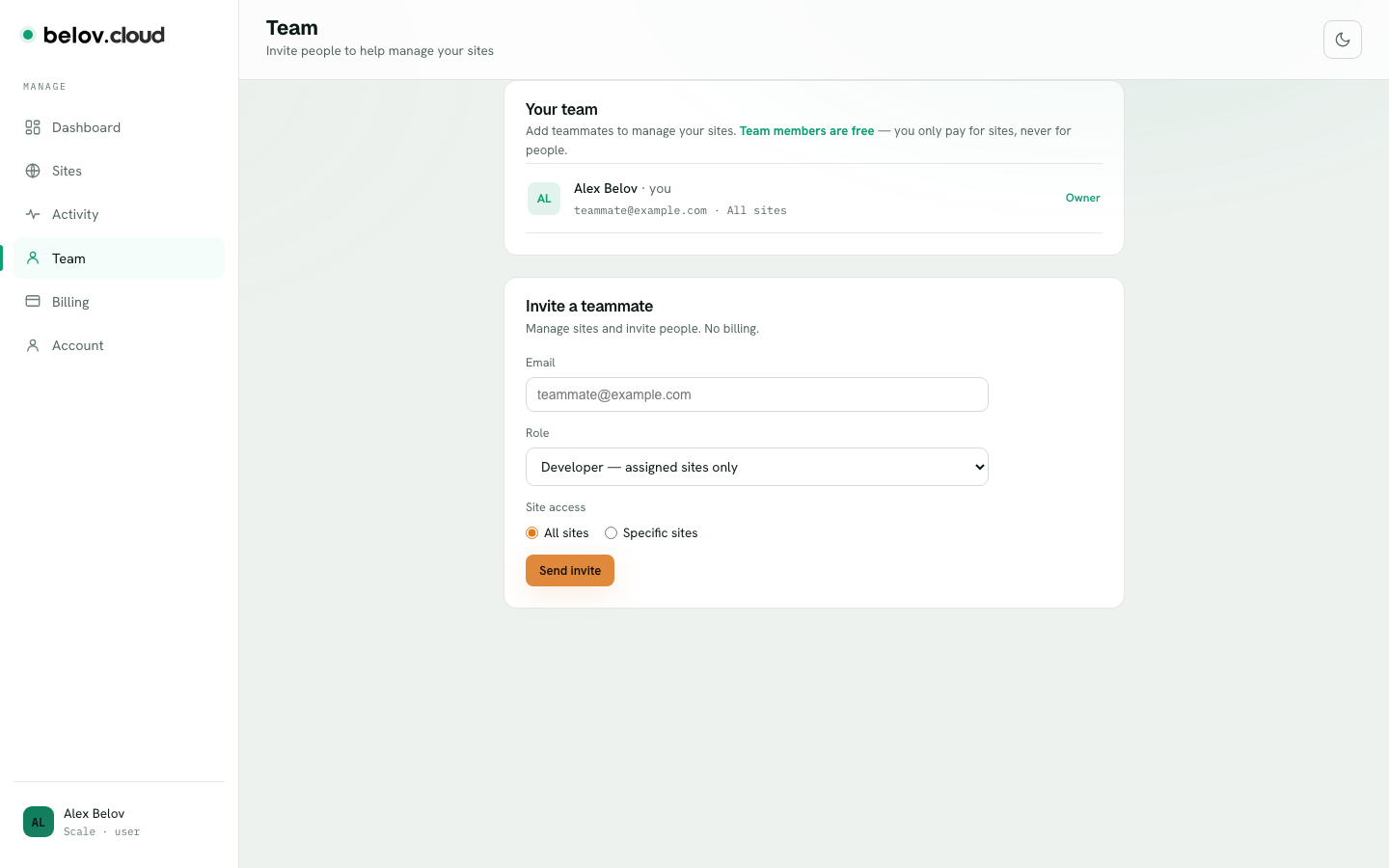
- Open the Team tabFrom the panel, go to Team. You'll see everyone who currently has access and the role each person holds.
- Invite by emailEnter the person's email address and pick a role — Owner, Admin, or Developer.
- Scope a Developer to specific sitesIf you choose Developer, select which site or sites they can work on. They'll see only those; the rest of your account stays invisible to them.
- They accept via a linkWe email the invite with an accept link. New to Belov Cloud? They set up a login and they're in. Already have an account under that email? They just sign in and click Join — same login, no second account — with exactly the access you granted, nothing more.