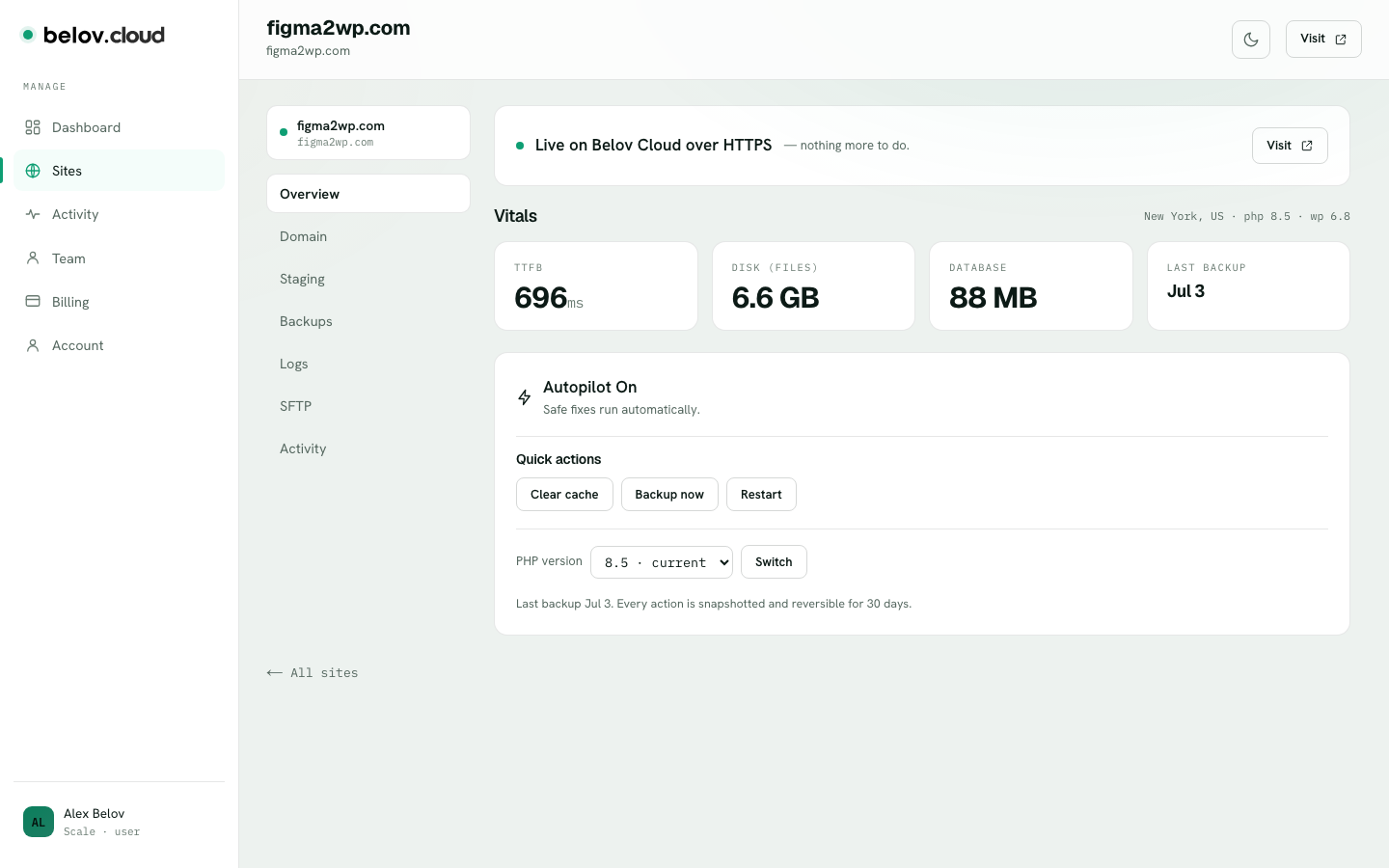
PHP is the language WordPress runs on, and newer versions are generally faster and more secure. Belov Cloud lets you set the PHP version per site — any of 8.2, 8.3, 8.4, or 8.5 — in one click, with a health check so an upgrade can't leave you stuck on a broken site.
New sites start on PHP 8.3 — a solid default that today's plugins and themes support widely. When you're ready to move up to 8.4 or 8.5 (or need to hold on an older version for a plugin that isn't ready yet), you change it from the site itself. No SSH, no editing config files, no waiting on support.
Open a site to reach its settings — the PHP version is one switch away from 8.2 through 8.5.
1
Open the site
Go to the site whose PHP version you want to change. Its current version is shown on the site view.
2
Pick a version
Choose one of 8.2, 8.3, 8.4, or 8.5. As a rule, move up one version at a time — it's easier to tell what changed if something reacts.
3
Confirm the switch
Belov Cloud applies the new version. You don't need to touch anything else.
4
Let the health check finish
Right after the switch, the platform loads your site and checks that it responds correctly. If it passes, you're done on the new version. If it fails, Belov Cloud rolls you straight back to the version you were on — automatically.
If a plugin isn't ready for the newer version
Say an old plugin that hasn't been updated for 8.5 throws a fatal error on the newer version. That's exactly what the health check is for: it catches the failure when the site comes back up and returns you to your previous version, so you never sit on a broken site. When that happens, update or replace the plugin — trying the switch on your staging copy first is a clean way to find out — then switch again.