Everything you do in the panel, you can also do from a script or your terminal. Belov Cloud has a public REST API and a companion CLI, both driven by a token you create yourself — for automation, CI pipelines, or just doing things faster from the command line.
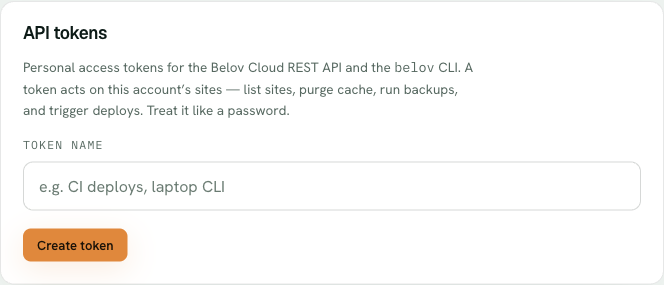
Create an API token in Account — name it, and the token is shown once. Treat it like a password.
1
Create an API token
Go to Account → API tokens and create one. It's shown once, starts with bc_live_, and won't be displayed again — store it like a password, in your secrets manager or CI's encrypted variables. You can revoke it anytime, which instantly kills anything using it.
2
Call the REST API
Send the token as a bearer header: Authorization: Bearer <token>. Start with GET /api/v1/whoami to confirm it works, then GET /api/v1/sites to list your sites and GET /api/v1/sites/:id for one.
3
Take actions over the API
POST /api/v1/sites/:id/cache/purge clears both of the site's caches — the edge page cache and its object cache — the same as the Clear cache button in the panel. GET and POST /api/v1/sites/:id/backups list and trigger backups. GET and POST /api/v1/sites/:id/deploys list and trigger deploys for Node apps.
4
Or use the belov CLI
Prefer the terminal? The belov CLI wraps the same API. Set BELOV_TOKEN in your environment and run commands like belov sites, belov cache:purge <id>, belov backup <id>, or belov deploys <id>.
A quick REST example — purge a site's cache with curl:
curl -X POST https://belov.cloud/api/v1/sites/SITE_ID/cache/purge -H "Authorization: Bearer bc_live_your_token_here"
The same thing from the CLI, reading BELOV_TOKEN from your environment:
belov cache:purge SITE_ID
A token only reaches your own account
Every token is scoped to the account that created it — it can see and act on your sites and nothing else. It's not a master key to the platform. Treat it like a password anyway: anyone holding it can do what you can do, so store it securely and revoke it the moment it might have leaked. The full endpoint reference lives in the repo's API docs.